 HandyCub
 PugPress · Image, Video & PDF Compressor
Compress images, videos, and PDFs on your Mac without losing quality
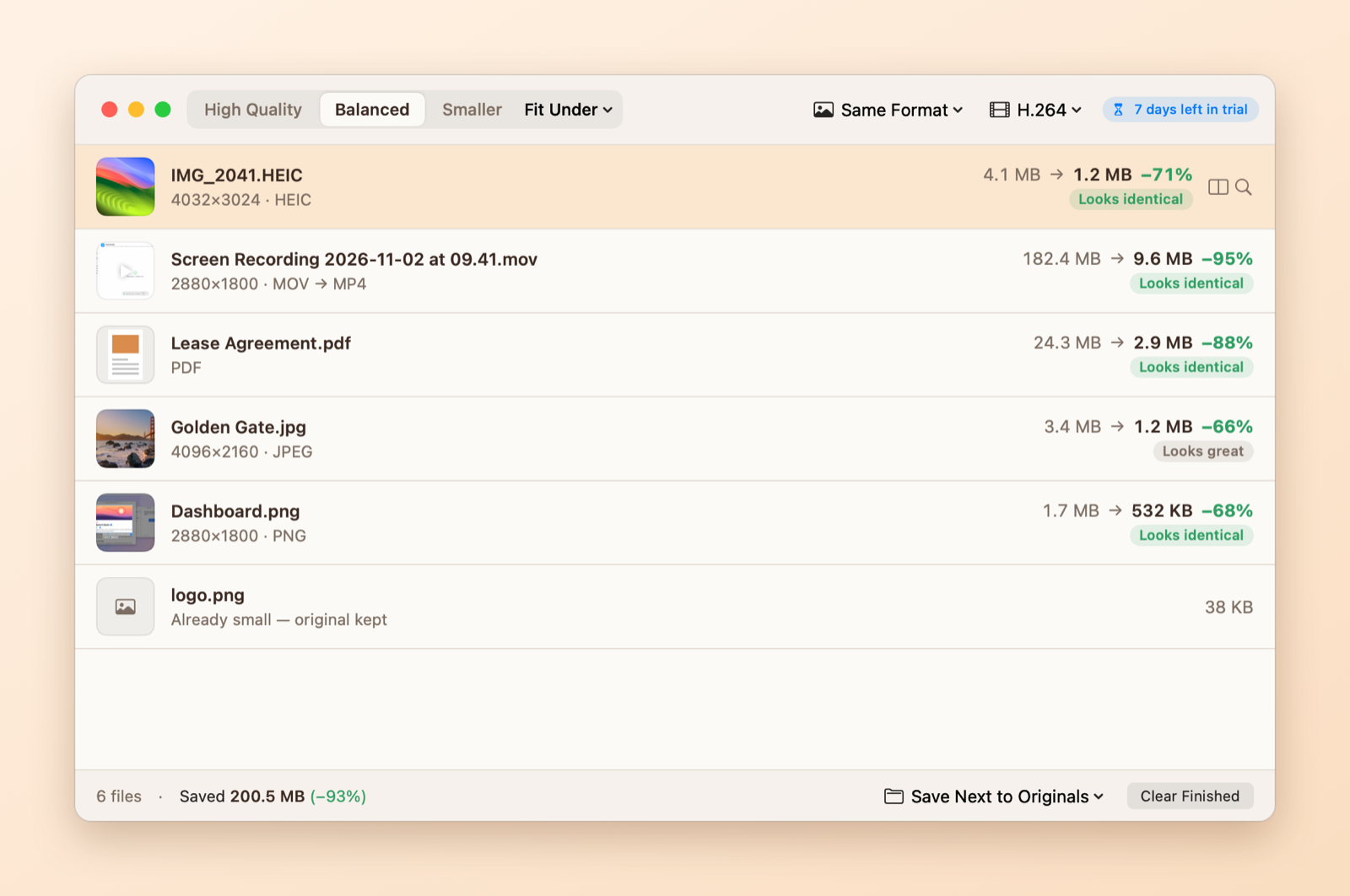
Drop in images, videos, or PDFs and get smaller files that look identical, or pick a size limit like 10 MB for Discord or 25 MB for Gmail. Everything runs on your Mac, and your originals are never deleted.
$4.99 one-time · no subscription
Drop anything
JPEG, PNG, HEIC, WebP, GIF, MOV, MP4, and PDF, mixed together or whole folders. Compression starts the moment you drop.
Checked file by file
Every result is compared with the original. You get the smallest file that still looks the same, not a fixed quality setting.
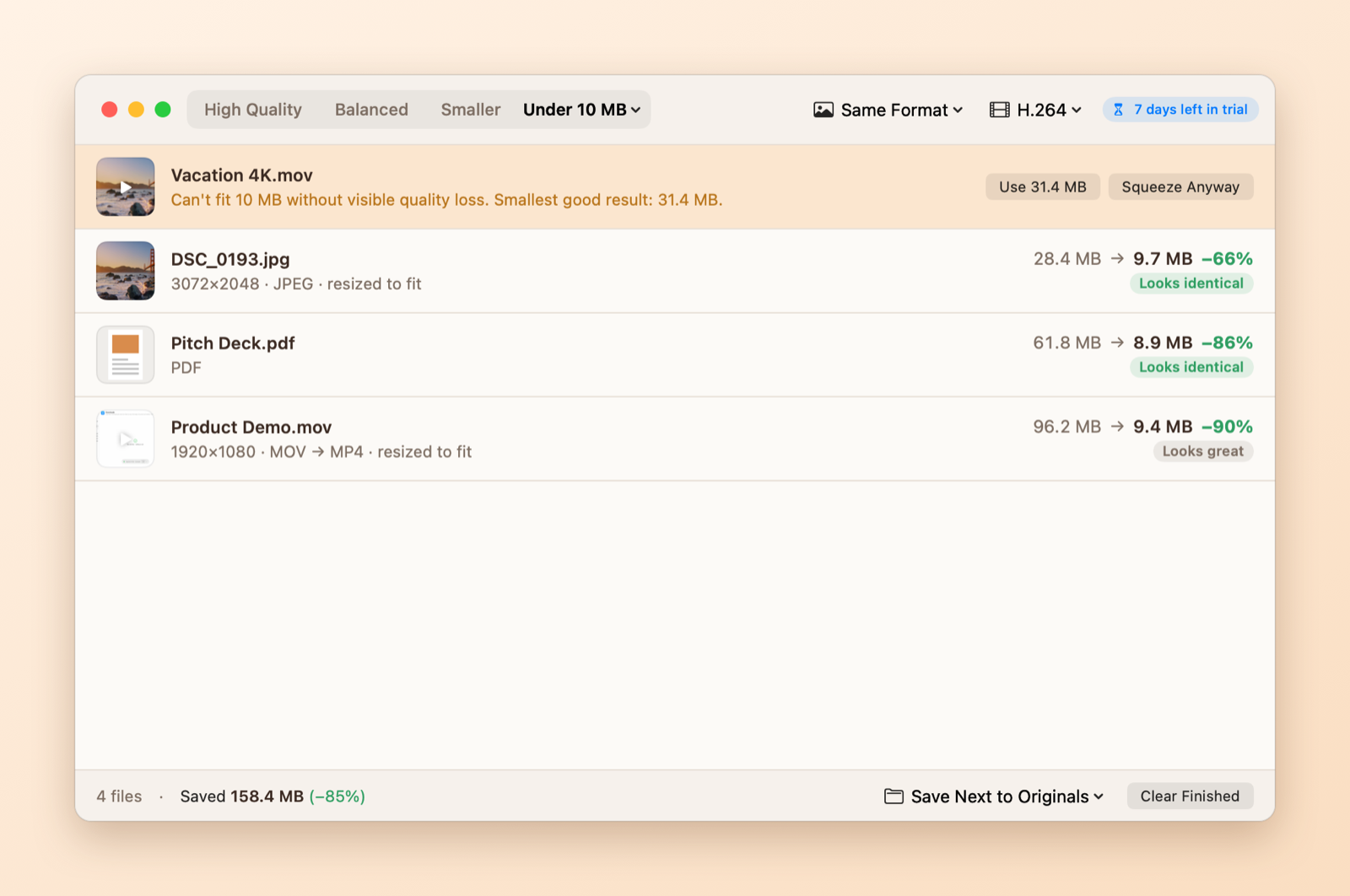
Fit under any size
Pick Discord 10 MB, Gmail 25 MB, or your own limit. If a file can't fit without visible damage, PugPress tells you and lets you decide.
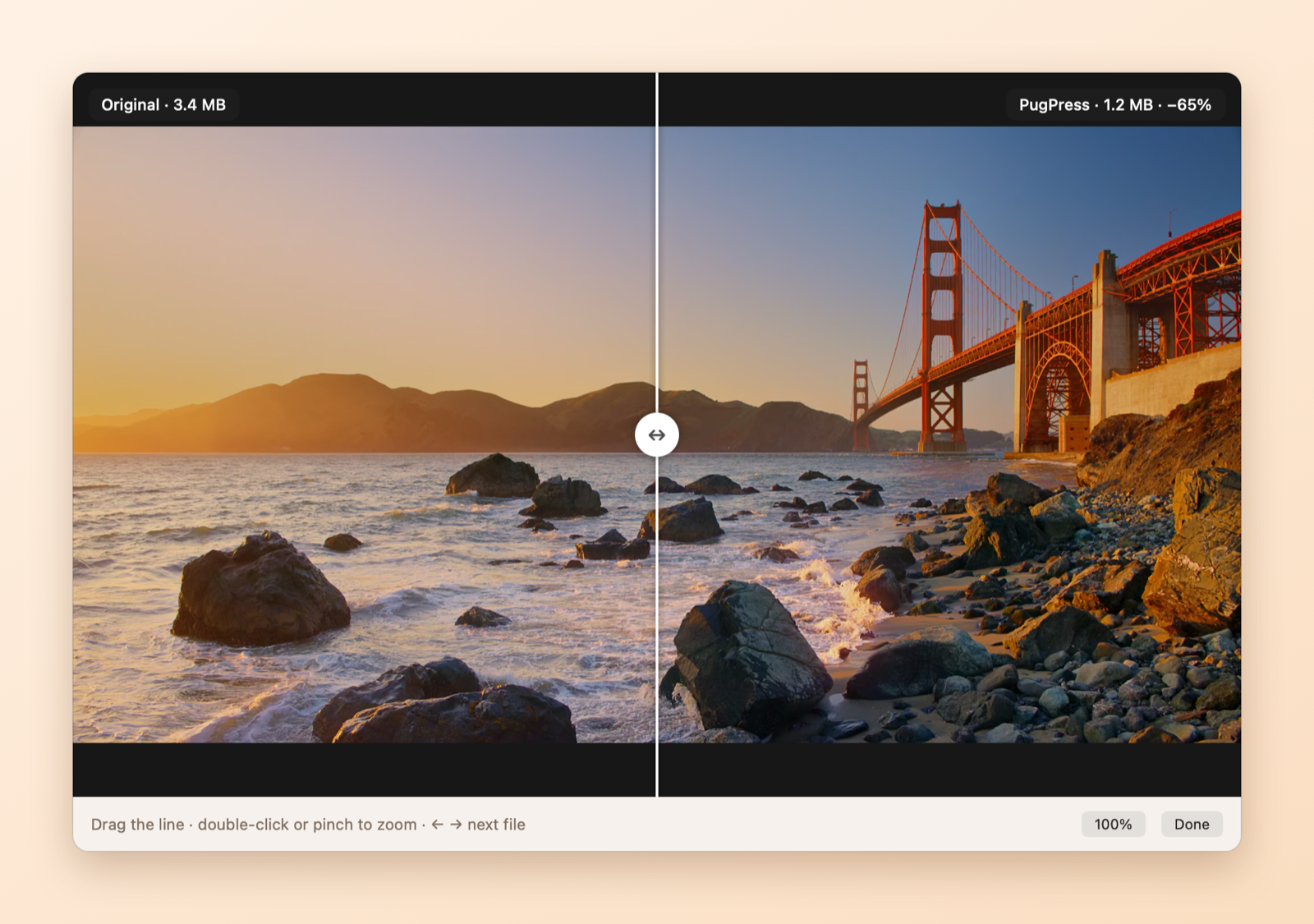
See the difference (or not)
Drag a divider across original and result, zoom in to 100%, scrub through videos, and flip through PDF pages.
PDFs stay sharp
Only the pictures inside are recompressed. Text stays crisp and selectable, and pages, links, and form fields are checked afterward.
Originals stay safe
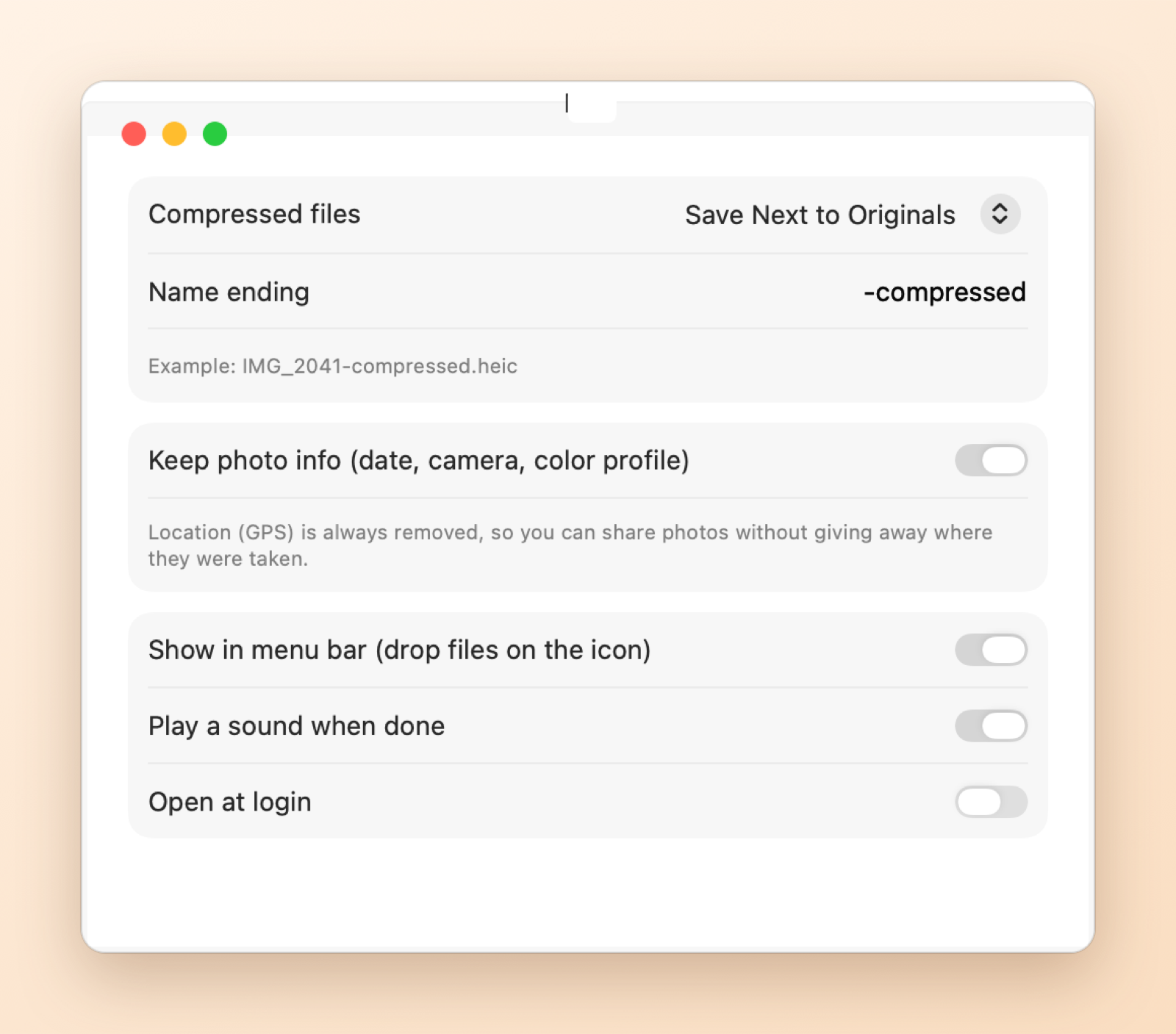
Save next to the original, to a folder, or replace it. Replaced originals go to the Trash and come back with one click. Photo locations are always removed.
See it in action
Keyboard shortcuts
| Shortcut | What it does |
|---|---|
| ⌘O | Open files |
| ⌘V | Paste files or a copied screenshot |
| ⌘1 / ⌘2 / ⌘3 / ⌘4 | High Quality / Balanced / Smaller / Fit Under |
| Space | Compare original and result |
| ⌘R | Show in Finder |
| ⌘Z | Put back the original |
PugPress vs. what’s built into macOS
| Feature | Built into macOS | PugPress |
|---|---|---|
| Compress images, videos, and PDFs in one place | Separate tools: Finder Quick Actions, Preview | Yes, all in one window |
| Fit a file under a size (e.g. 10 MB) | No | Yes, for images, videos, and PDFs |
| Checks quality after compressing | No | Yes, every file |
| PDF compression keeps text sharp | Preview's Reduce File Size often blurs pages | Only pictures are recompressed |
| Before/after comparison | No | Draggable divider with zoom |
| Never produces a bigger file | No | Keeps the original if it can't save 5% |
| Removes photo location | Option when sharing | Always |
Getting started
- Download PugPress and open the file.
- Drag PugPress into your Applications folder, then open it.
- Use it free for 7 days. When you're ready, click Buy Now in the app. It unlocks on its own once you've paid.
Questions
Will my photos or videos look worse?
PugPress compares every result with the original. High Quality and Balanced are tuned so you can't tell them apart; if a size limit would cause visible damage, you're asked first.
Are my files uploaded anywhere?
No. Everything is compressed on your Mac with Apple's built-in encoders. The only network request is the license check.
How much does it cost?
Free for 7 days with every feature, then $4.99 once for up to 3 Macs. No account and no subscription.
How does the free trial work?
Download PugPress and open it. You get every feature for 7 days, with no account and no card. When the trial ends, the app asks you to buy a license. Your files and settings stay put.
Is it a subscription?
No. You pay once and keep using it. Updates are included.
How many computers can I use it on?
Up to 3. You can see which ones are using your license in the app's settings, and remove one yourself when you switch computers, there or on the license page.
Do I need to type in a license key?
Not if you buy from inside the app: it unlocks on its own a few seconds after you pay. If you buy on this website, we'll show your key right after checkout. Paste it into the app and you're set.
I lost my license key.
Find the receipt Paddle emailed you, copy the transaction ID (it starts with txn_), and look it up on the license page or in the app.
Can I get a refund?
Yes, a full refund within 14 days, no questions asked. See our Refund Policy.
Is there a Windows version?
It's on the way. The Mac version comes first.