 HandyCub
 TidyCub · Mac Cleaner & Organizer · Preview
A Mac cleaner you buy once: free up memory, cache and disk space safely
See what's slowing your Mac down, clear out the clutter, and keep your Desktop and Downloads in order. Everything goes to the Trash first, and you can undo anything.
$4.99 one-time · no subscription
Health at a glance
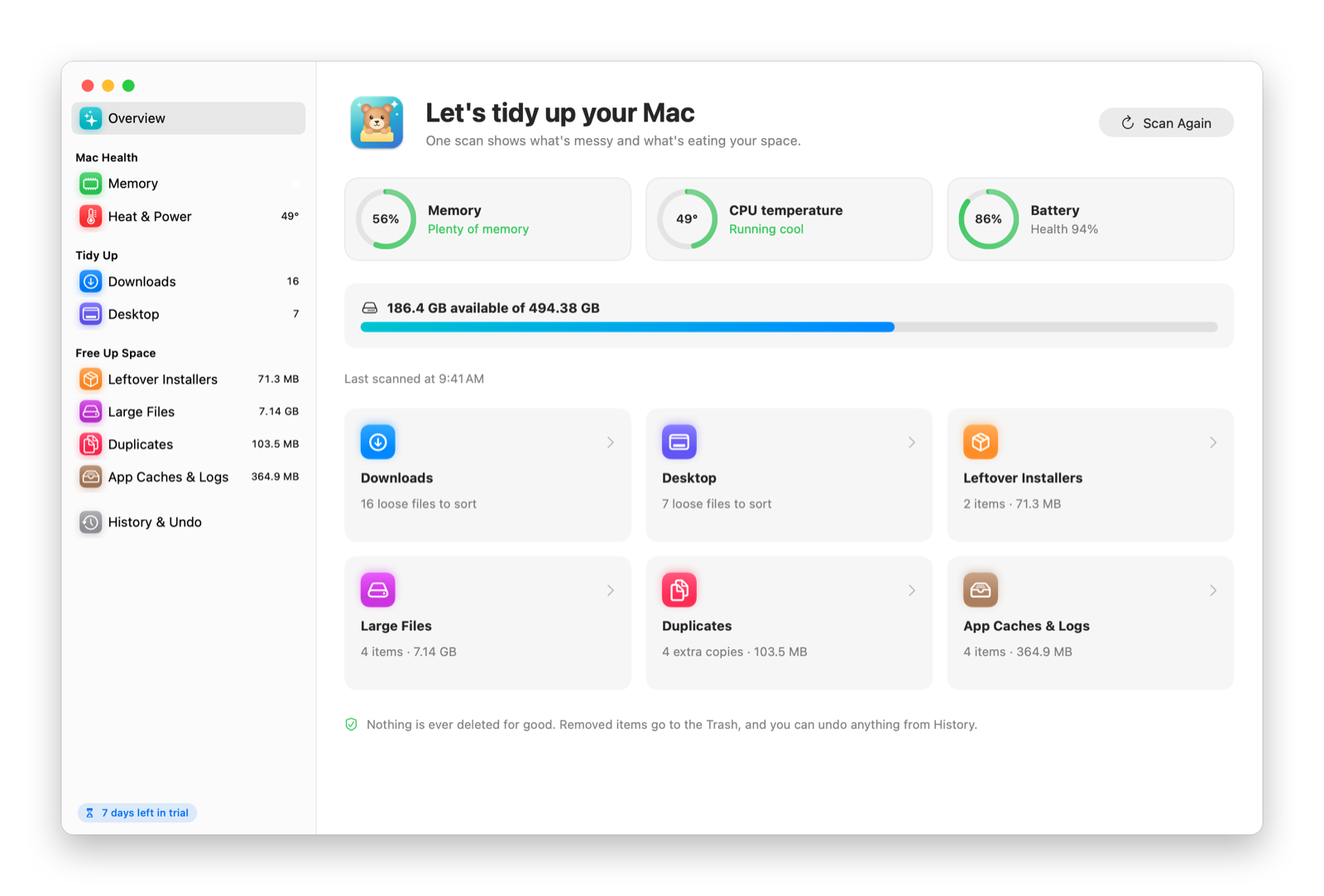
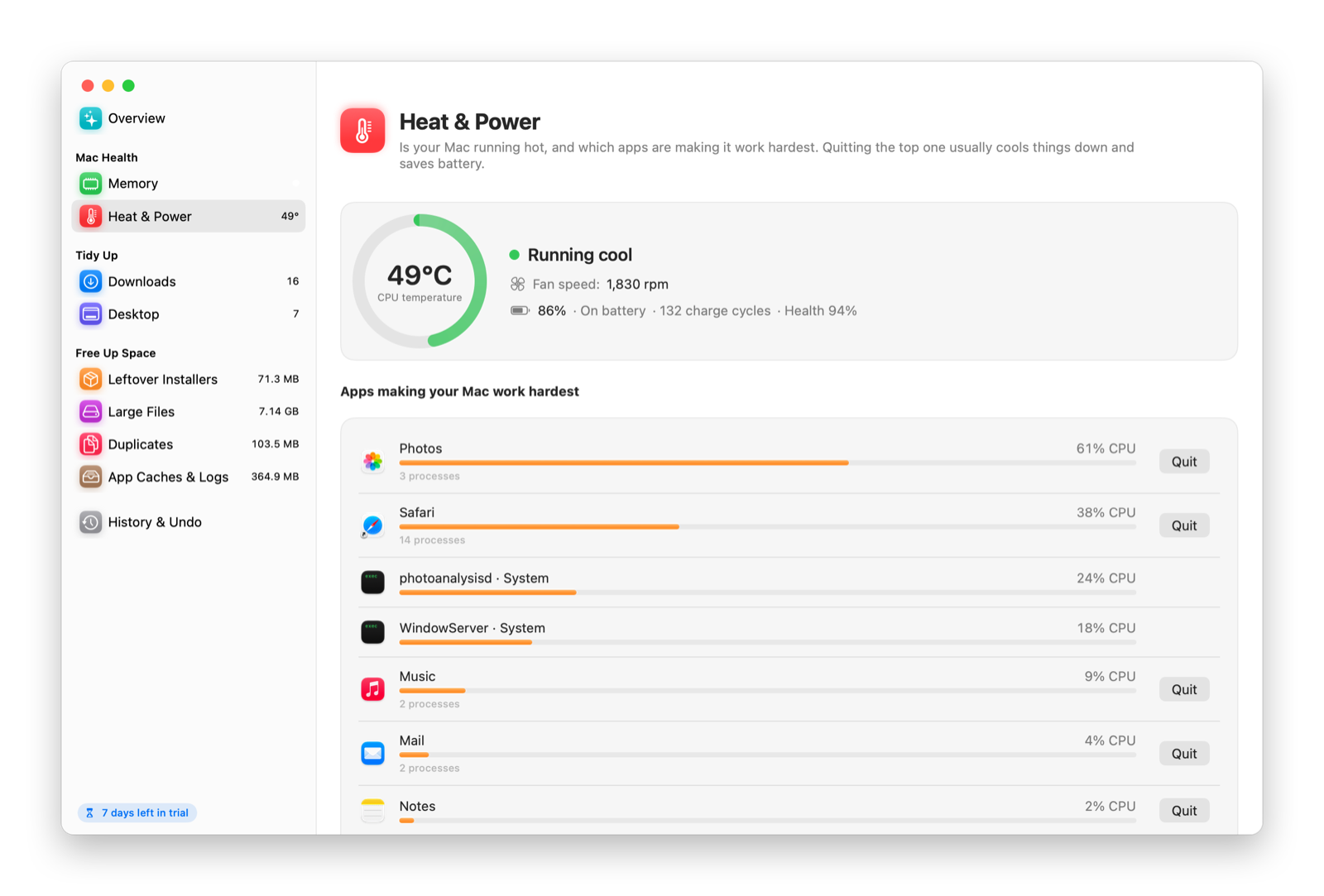
Memory, temperature, fans, and battery on one screen, plus the apps using the most power.
Tidy Downloads and Desktop
Sort old downloads and Desktop clutter into folders in one click.
Find what's eating your disk
Large files, duplicate files, leftover installers, and app caches and logs, sorted by size.
Safe by design
Nothing is ever deleted outright. Files go to the Trash, and History lets you undo any cleanup.
No scare tactics
We show you what's there and how big it is. You decide what goes.
Private
Everything runs on your Mac. Nothing about your files ever leaves it.
See it in action
TidyCub vs. what’s built into macOS
| Feature | Built into macOS | TidyCub |
|---|---|---|
| Memory, temperature, fans and battery in one place | Spread across Activity Monitor and System Settings | Yes |
| Find large files | Yes, in Storage settings | Yes |
| Find duplicate files | No | Yes |
| Sort old downloads and Desktop clutter into folders | No (Desktop Stacks only groups files) | Yes |
| Clear app caches and logs | By hand in Finder | Yes |
| Undo a cleanup | Restore files from the Trash one by one | One click in History |
Getting started
- Download TidyCub and open the file.
- Drag TidyCub into your Applications folder, then open it.
- Use it free for 7 days. When you're ready, click Buy Now in the app. It unlocks on its own once you've paid.
Questions
Is it safe to use a Mac cleaner?
TidyCub never deletes files outright. Everything goes to the Trash first, and History lets you undo any cleanup. It shows you what it found and how big it is, and you decide what goes.
Do Macs even need cleaning?
macOS manages memory well on its own, so you don’t need to clean all the time. Cleaning helps when your disk is nearly full, when old downloads and installers pile up, or when one app is using too much memory or power.
How does the free trial work?
Download TidyCub and open it. You get every feature for 7 days, with no account and no card. When the trial ends, the app asks you to buy a license. Your files and settings stay put.
Is it a subscription?
No. You pay once and keep using it. Updates are included.
How many computers can I use it on?
Up to 3. You can see which ones are using your license in the app's settings, and remove one yourself when you switch computers, there or on the license page.
Do I need to type in a license key?
Not if you buy from inside the app: it unlocks on its own a few seconds after you pay. If you buy on this website, we'll show your key right after checkout. Paste it into the app and you're set.
I lost my license key.
Find the receipt Paddle emailed you, copy the transaction ID (it starts with txn_), and look it up on the license page or in the app.
Can I get a refund?
Yes, a full refund within 14 days, no questions asked. See our Refund Policy.
Is there a Windows version?
It's on the way. The Mac version comes first.